
Cataloging Corner
By Jennifer Choate, Bibliographic Services Coordinator
You are working on a reclassification project and have a stack of books that need assigned the YA-GRAPHIC home location code and assigned the SUPRHEROES item category 4 code. What are your options?
You can use the Call Number and Item Maintenance wizard to search for and edit each item individually, but that can take time. To update items more quickly, use the Global Item Modification wizard (also called the “Global Item Mod”).
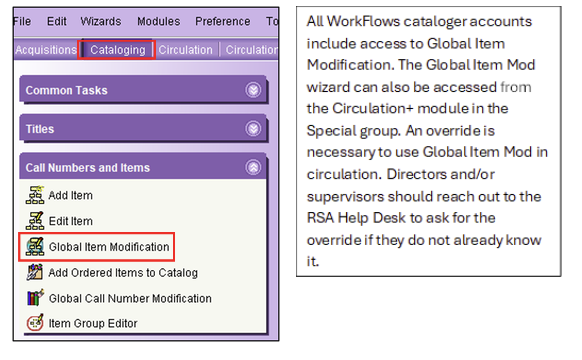
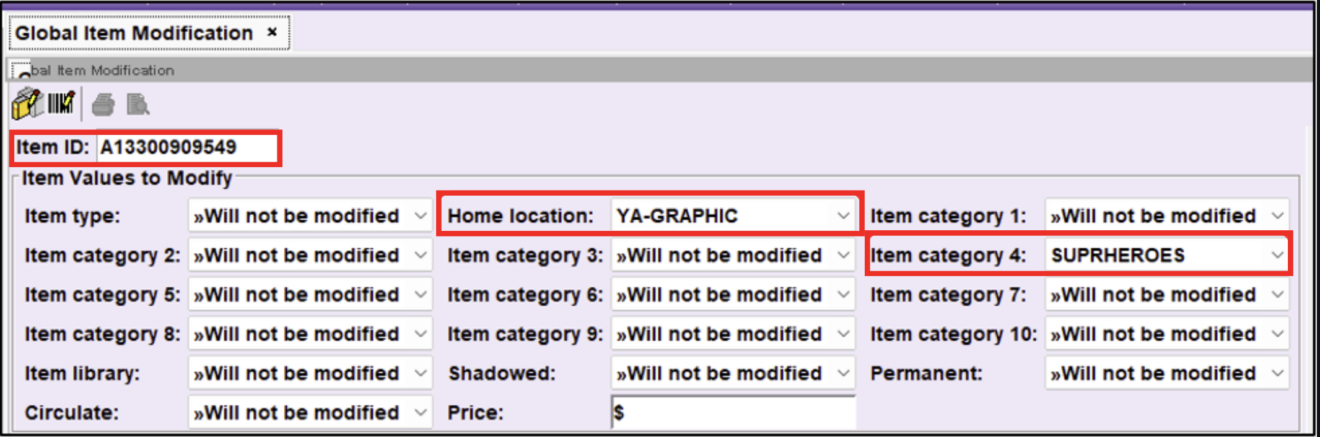
Using the Global Item Mod wizard allows you to select multiple values to edit for a group of items.
Once you select values to edit in Global Item Mod, you will scan into the wizard each item that needs to be assigned those values.
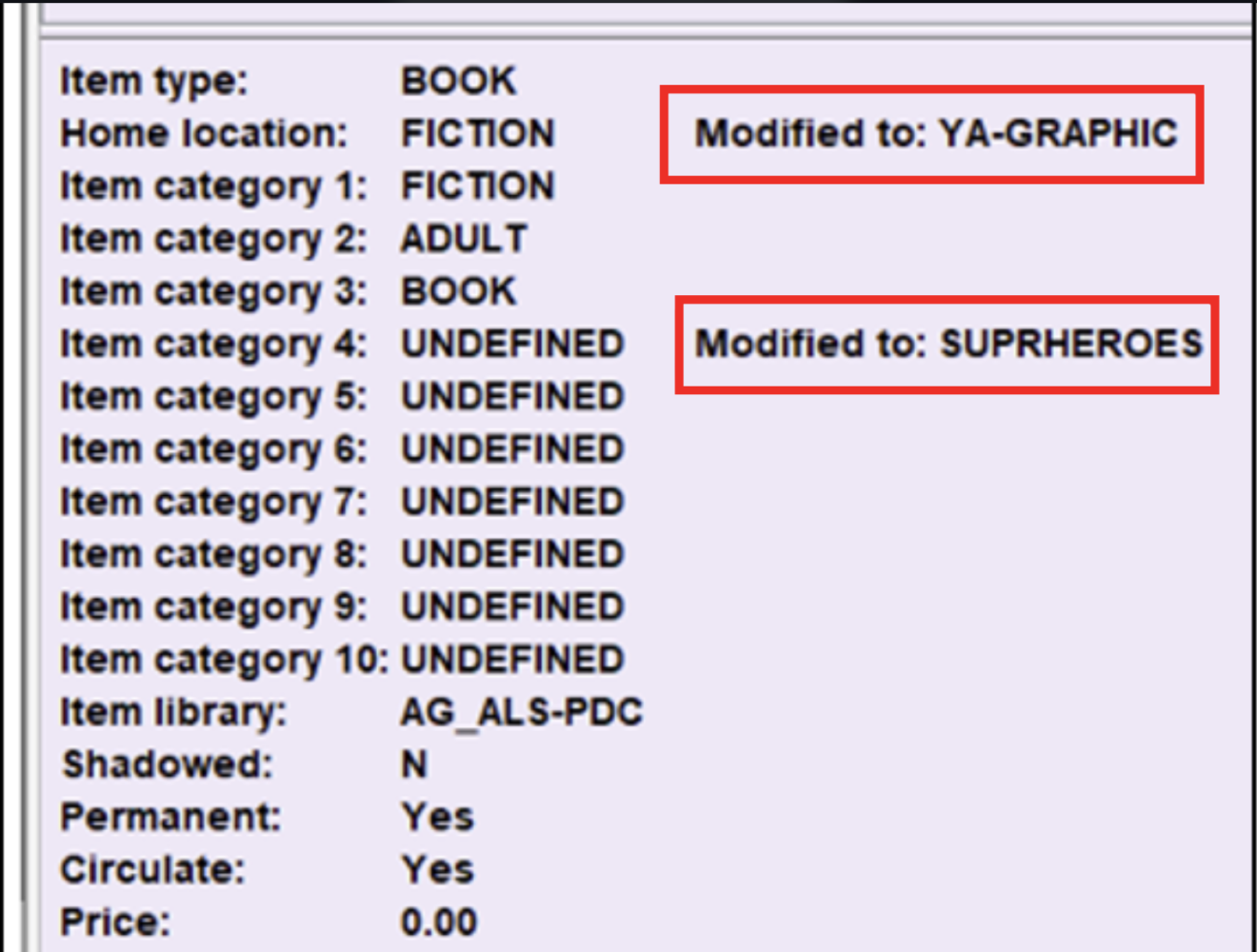
As you scan each item, the screen will confirm the item has been edited to the selected values.
See the Global Item Modification Wizard Guide for step-by-step instructions on how to use it.
Examples of when to use the Global Item Mod Wizard (not a complete list):
- Your library no longer considers items assigned a “new” item type, such as N-BK, as new in your collection. They need to be assigned the BOOK item type so they can begin allowing holds from patrons at other RSA libraries.
- Your library shelved DVDs on a display, indicated by the DISPLAY home location. They need to be assigned the AV-MOVIE home location to indicate they are no longer on display.
- Your library has a stack of books that are not assigned prices. You want to assign $20 as the price for each book to give you a better idea of its replacement cost if it becomes lost.
Questions about the Global Item Modification wizard? Reach out to the RSA Help Desk at or call 1-866-940-4083.